
Products and pricing
Configure your lens catalog and prices so staff choose from the products your practice sells.
Start with your logo, colors, products, and prices. Keep everything editable as your practice grows.
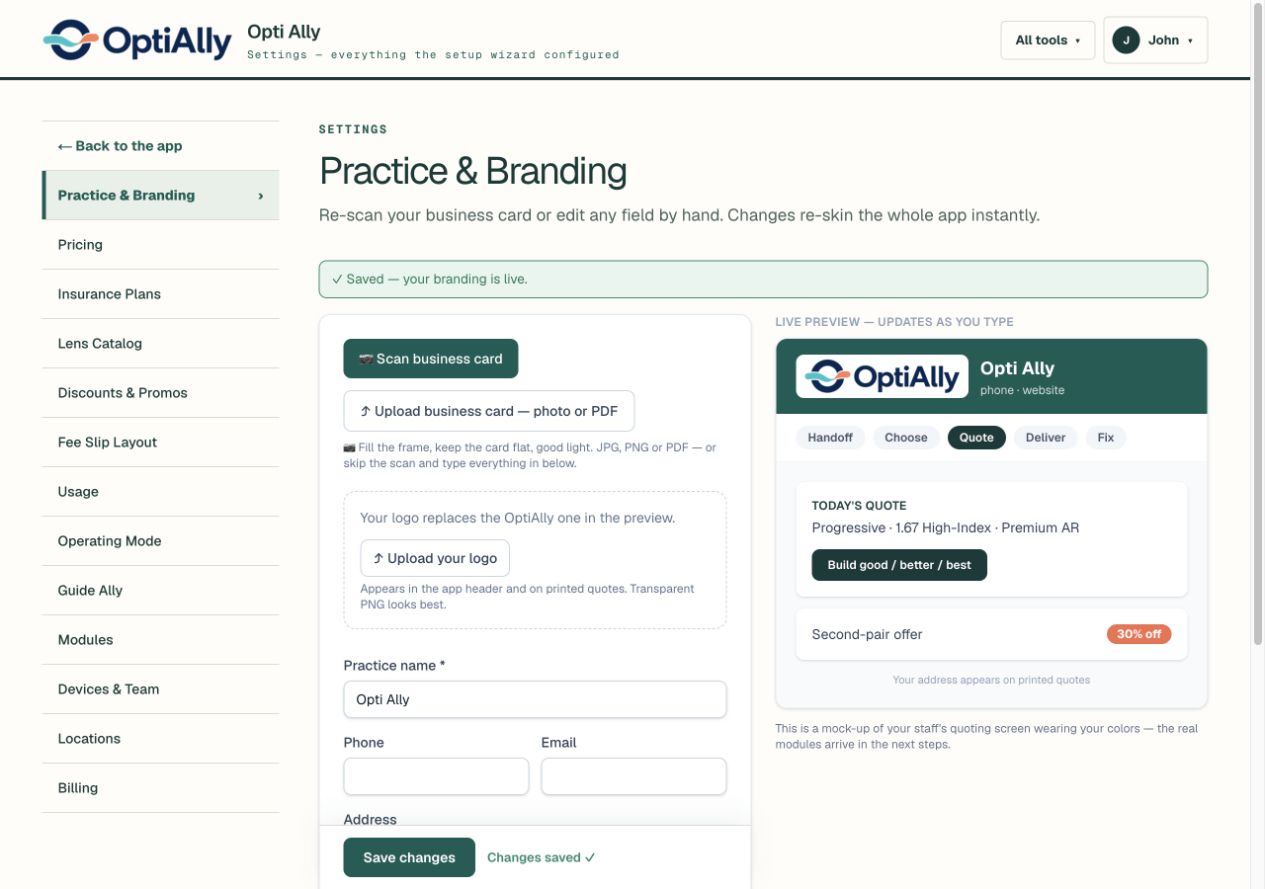
Take a photo of your business card, upload it, or enter the details yourself. Add your logo and brand colors, with a live preview as you make changes.
Your logo appears in the app header and on printed quotes. Patients see a consistent practice identity from the conversation to the take-home estimate.

Configure your lens catalog and prices so staff choose from the products your practice sells.
Add any insurance with custom plan setup. Keep your accepted plans and benefit configuration together, ready for quoting.
Set your discounts and second-pair offers so they are available during the sale.
Add any insurance with custom plan setup.
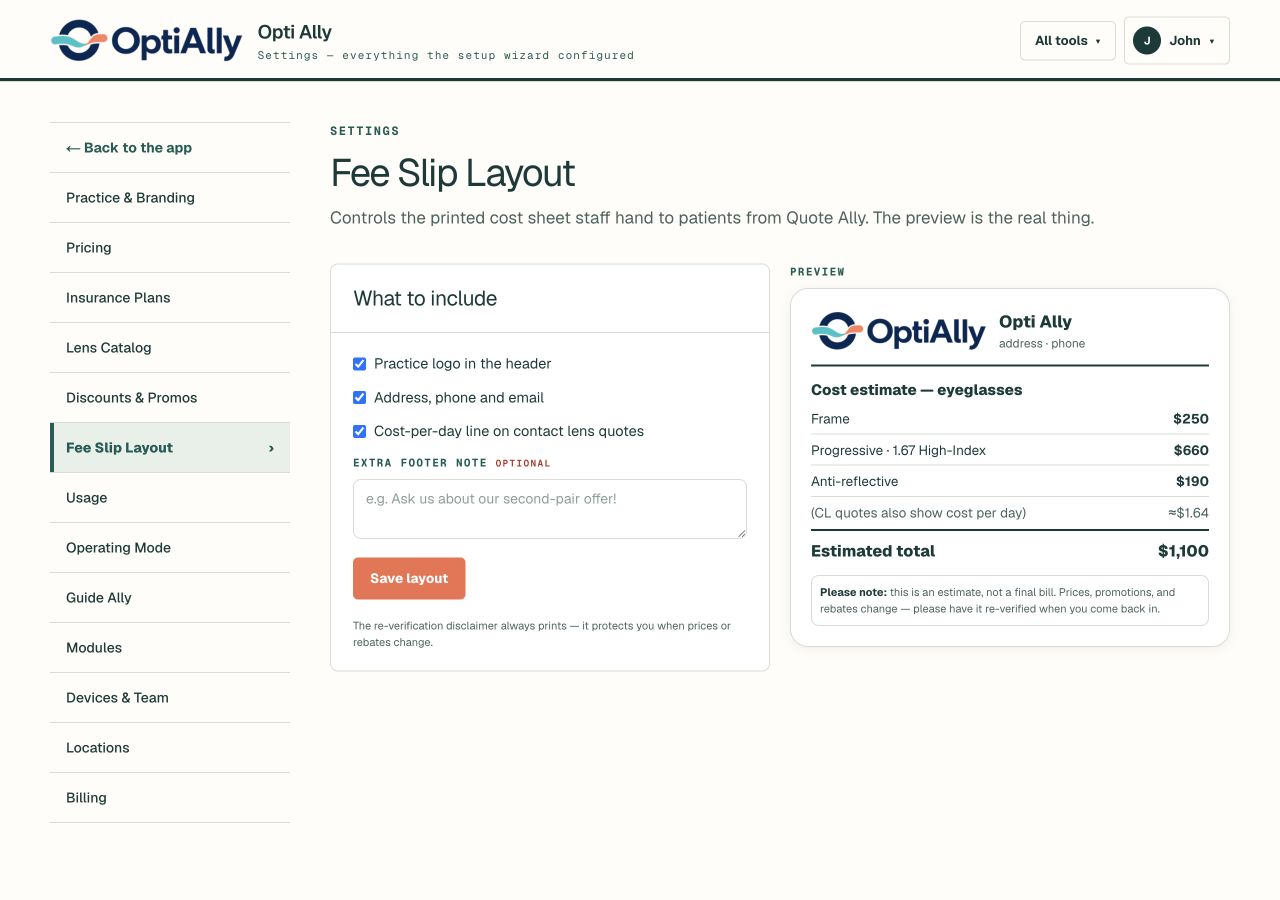
Choose whether to include your logo, practice contact details, and a cost-per-day line for contact lenses. Add your own footer note.
The estimate disclaimer stays on the printout so patients know to reconfirm prices and rebates.
Walk through sample benefits, your practice’s pricing, and the estimated patient cost.
See a benefit sheet become a quote