
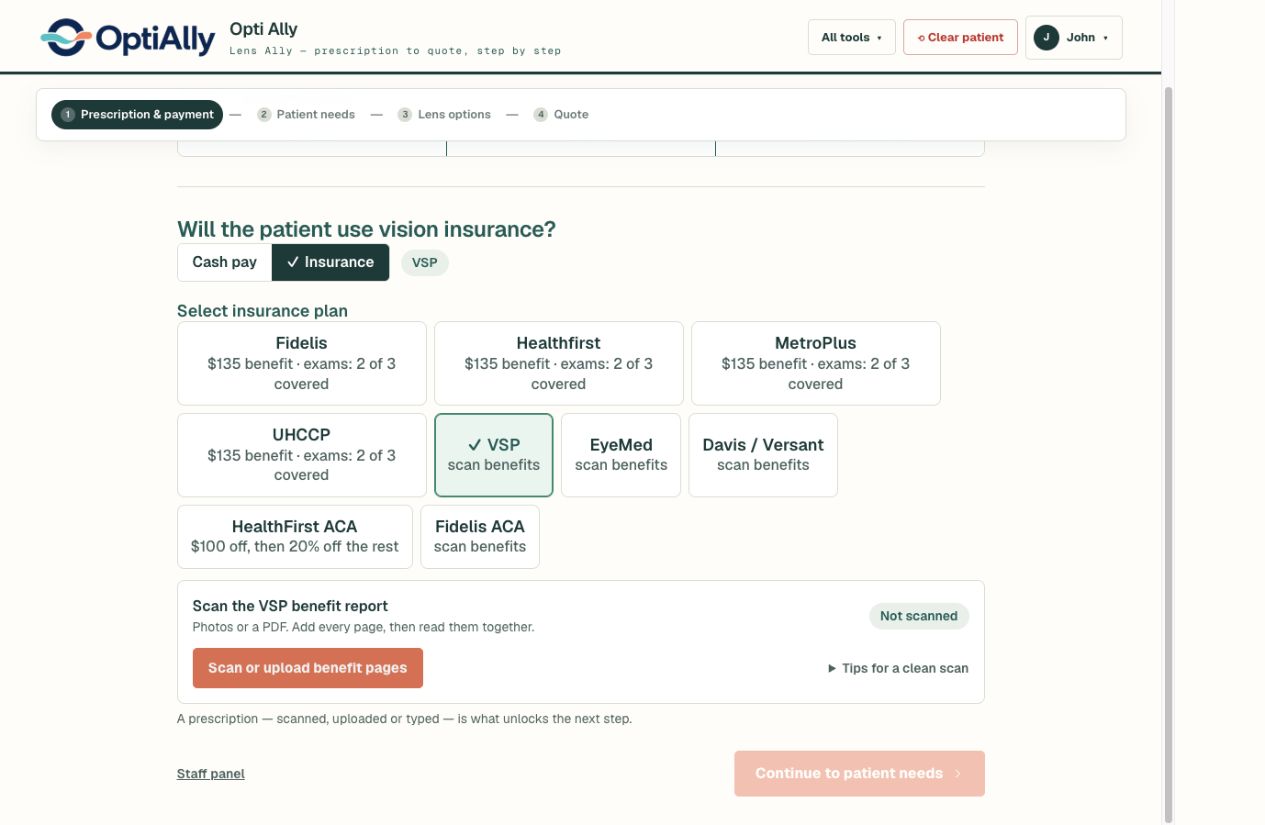
From the benefit report to estimated patient responsibility
- Photograph or upload every page of the benefit report.
- Review the extracted allowances, copays, and benefit details against the original document.
- Select the frame, lens design, material, treatments, and other options using your configured prices.
- Review the itemized estimate with the patient and confirm final coverage before completing the sale.
Your catalog makes the estimate useful
The same insurance report can produce different estimates for different frames and lens options. OptiAlly combines the report with your practice’s pricing so staff can explain the selected products and the resulting patient cost together.
A frame allowance, a materials copay, and a lens enhancement copay are different parts of the calculation. Staff should resolve missing or unclear information from the plan source; a blank field is not evidence of a zero charge.
Document reading and live eligibility are different
OptiAlly reads the information you provide. It does not connect to the insurer to verify current eligibility, submit a claim, or guarantee payment. Keep your existing eligibility and claims process, and review the applicable plan rules.
Work with benefit documents for VSP, EyeMed, Davis / Versant, Medicaid, Health First, Fidelis, Emblem, Spectera, and Metroplus. Add any insurance with custom plan setup. Bring a fictional or de-identified report to a demo to check the workflow against the reports your office uses.
What should we bring to a demo?
Use a complete sample benefit report, a fictional prescription, and a sample price list. We can walk through the selected products and the estimated patient responsibility without using identifiable patient information.